Multi-Factor Authentication (MFA) adds an extra layer of security to user accounts. By default, TOTP is the current MFA requirement for staff; however, PSUs may switch users to WebAuthn if preferred. This workflow allows LEA Administrators to enable WebAuthn in bulk for users by School Code. Only users with the NCEdCloud LEA Administrator role will have access to submit this workflow. More information on how WebAuthn is used with NCEdCloud can be found here: How to enable WebAuthn
.png)
*Steps required to access this workflow can be found here
PSU CODE (Required): 3-digit PSU Code of the requesting LEA Administrator
SCHOOL CODE (Required): Enter the 6-character school code for the selected school where WebAuthN will be enforced for staff.
REQUEST COMMENTS (Optional): Enter any description you’d like to have associated this request.
Note: All required fields will need to be completed before you're able to click the request button to submit this form. The required fields are listed in this doc and are also marked with a red asterisk(*) on the form.
This workflow applies the 'ENFORCE WEBATUHN' flag to all currently active staff users associated with the specified school code who do not already have the flag applied. The flag can be viewed or updated in the People module of NCEdCloud by searching for a user, selecting them, and clicking Details.
.png)
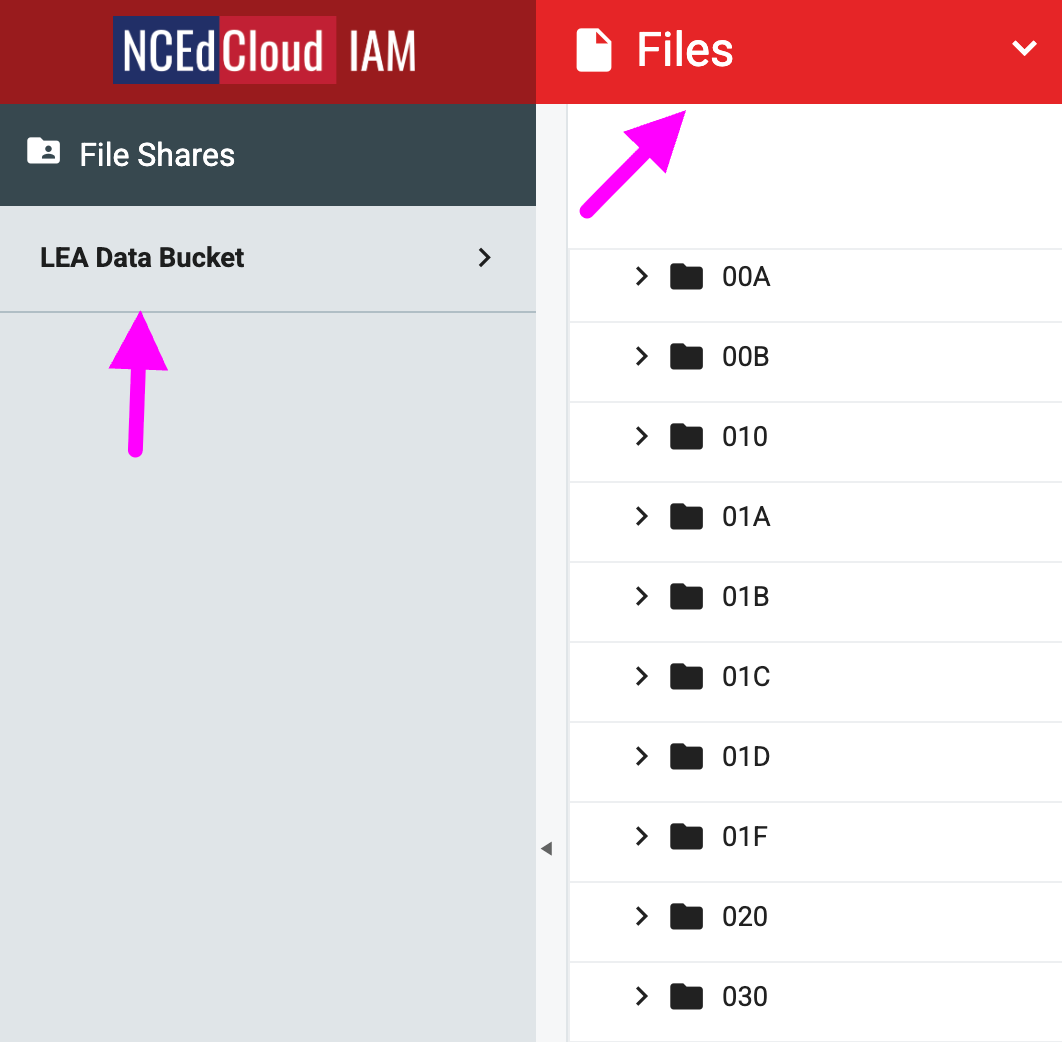
After the workflow completes, you will receive an email with instructions on where to find a file listing the staff UIDs for whom the 'ENFORCE WEBAUTHN' flag was applied. To access the file, open the Files module from the drop-down menu, select LEA Data Bucket, and navigate to your PSU code file share. A folder named Enforced WEBAUTHN will be generated and will contain the timestamped file.
FAQs
What if I can't see the "Enforce MFA WebAuthn (School Code)" request in the catalog?
You will need to have the LEA Administrator Role in order to access this request. More information on requesting Privileged Roles can be found here: Privileged Roles Info
How do I use WebAuthn to login to NCEdCloud?
Additional information on how to use WebAuthN to login to NCEdCloud can be found here: How to enable WebAuthn
What happens after I submit the "Enforce MFA WebAuthn (School Code)" form?
After submitting the "Enforce MFA (School Code)" form you will receive an email to the email address listed in NCEdCloud account. If you have any question about this workflow please submit a support ticket with Identity Automation by using the support portal (How to submit support ticket) or by email to support@identityautomation.com